Free YouTube Shorts maker

Paste one long video and get up to 20 Shorts, each cut to 1080 by 1920 with a headline, captions and a credit line.

You export with no watermark on every plan, and each Short runs 15, 30 or 60 seconds.

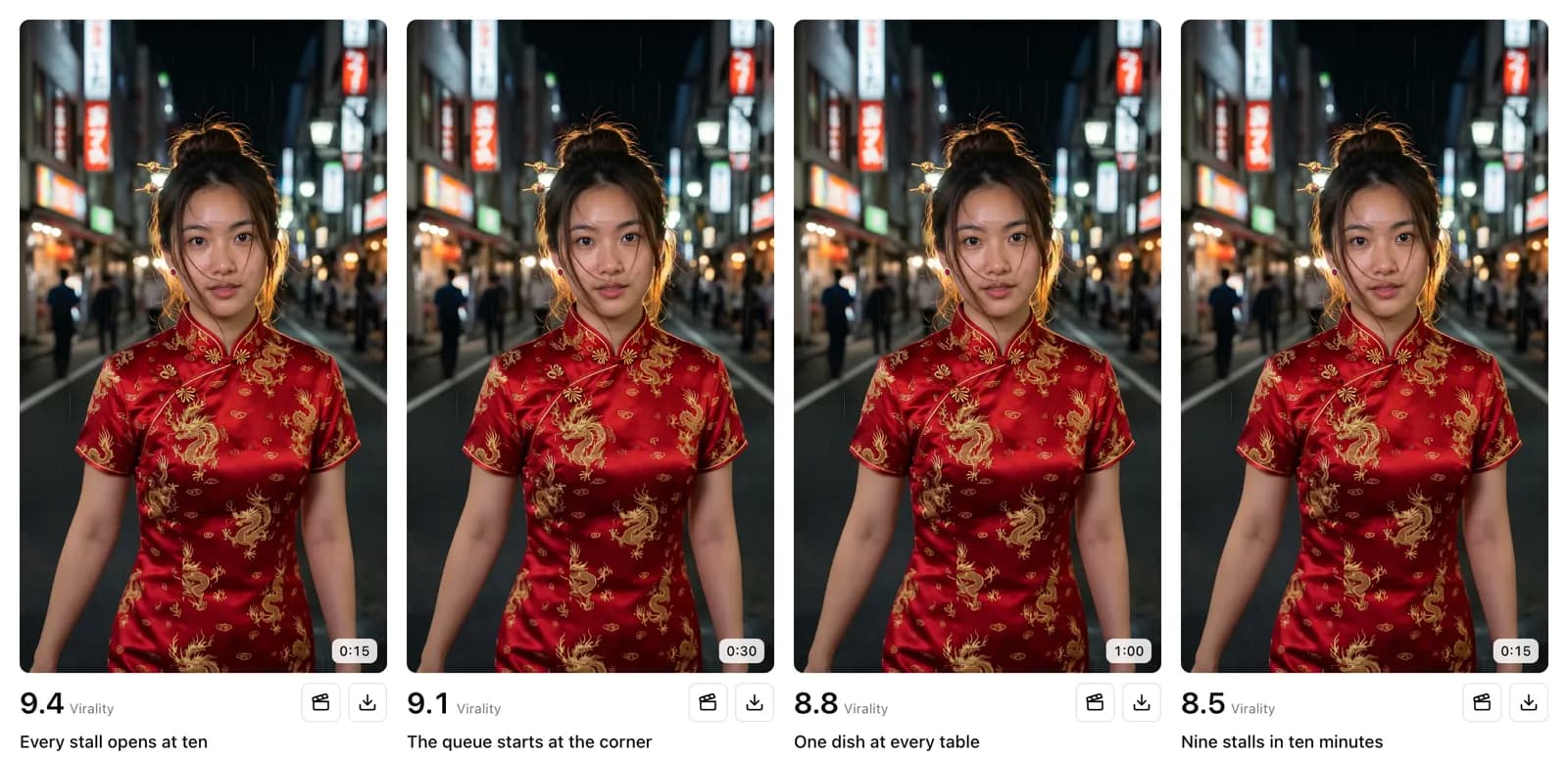
A row of vertical Short thumbnails from one job, each tile showing its length, its score out of ten, its title and two tags

One long video, twenty vertical Shorts

Every Short comes out 1080 by 1920

A Short has to be vertical, and the clipper cuts to 1080 by 1920 by default. The framing follows the speaker, so a landscape interview becomes a phone-shaped clip with the face in the middle. Three other shapes are there when you want the same cut for a feed post.

Want another shape? See the video resizer
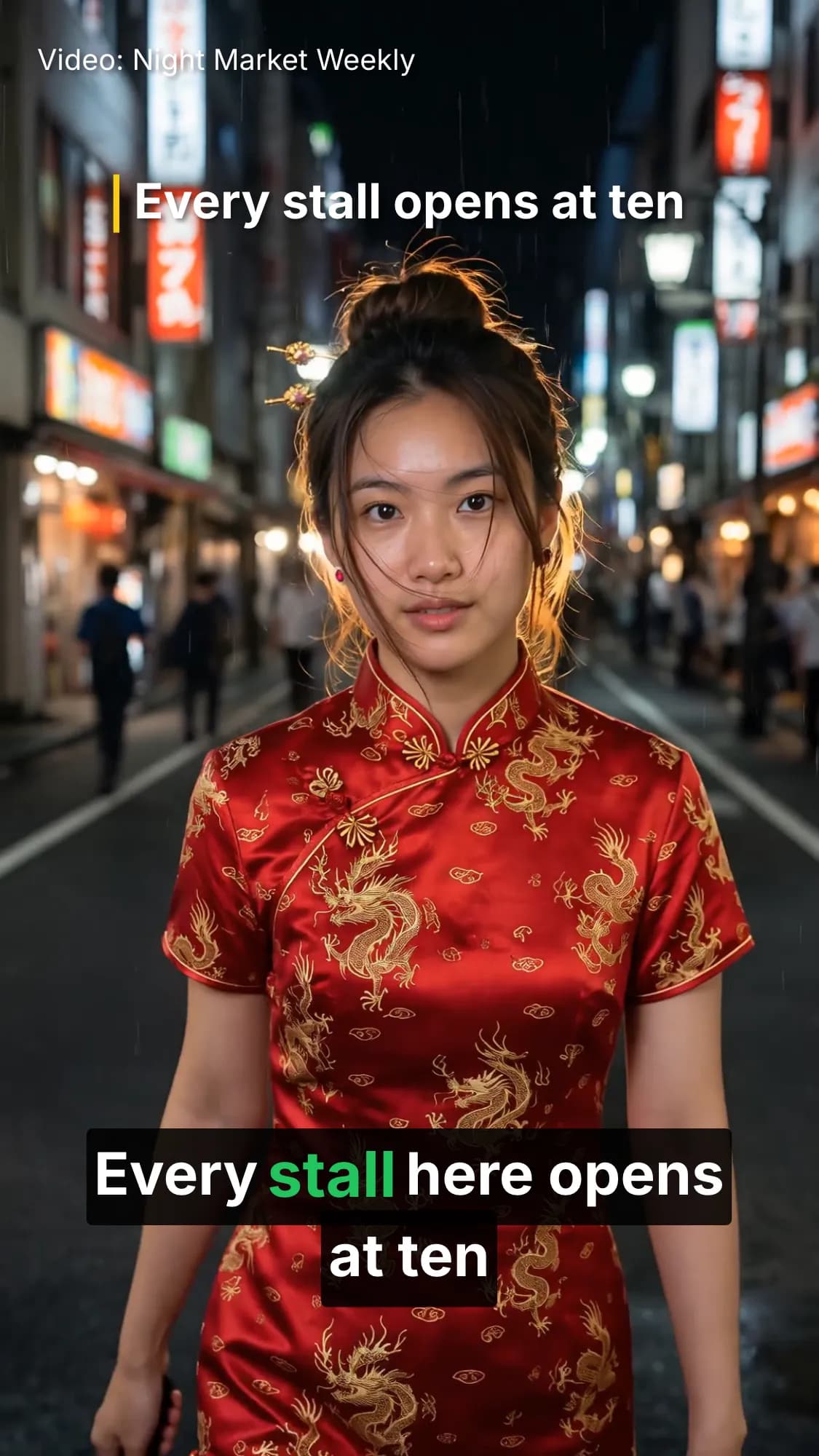
A vertical Short at 1080 by 1920: a credit line at the top left, a headline on a yellow bar below it, and a word by word caption low in the frame

The headline holds the first six seconds

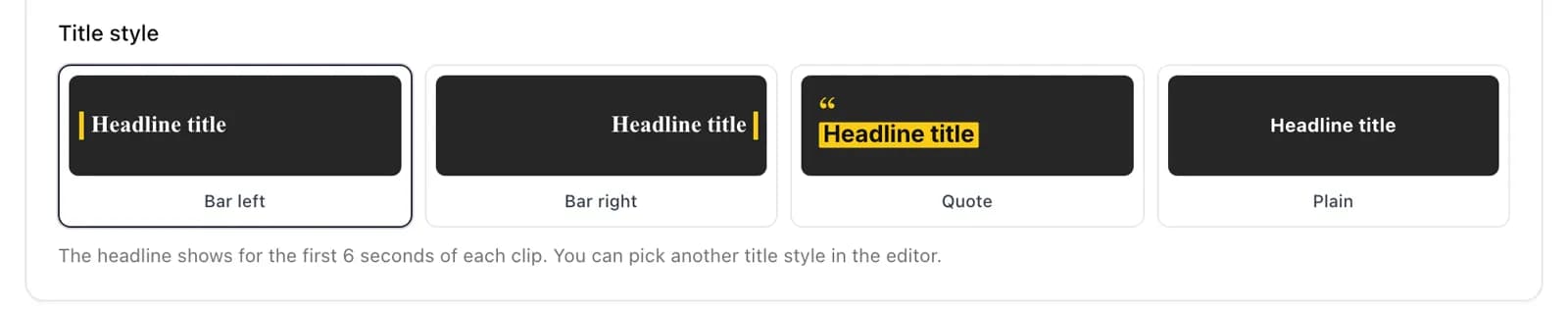
The AI writes a headline for each Short and holds it on screen for the first six seconds. You choose the look before the job runs: a bar left, a bar right, a quote card, or plain text. The headline rises in over half a second and carries a shadow for legibility over the picture.

The Title style row of the clip settings step: four cards reading Bar left, Bar right, Quote and Plain, with Bar left chosen

The source channel is credited on screen

A Short cut from a link carries a small line at the top left, reading Video and then the channel name. The line stays for the whole clip at 85 per cent opacity and sits on its own layer, clear of the headline. Delete the line in the editor when the footage is your own.

The top of the same Short at seven seconds, with the headline gone and the credit line still reading Video and a channel name

Twenty Shorts from one upload

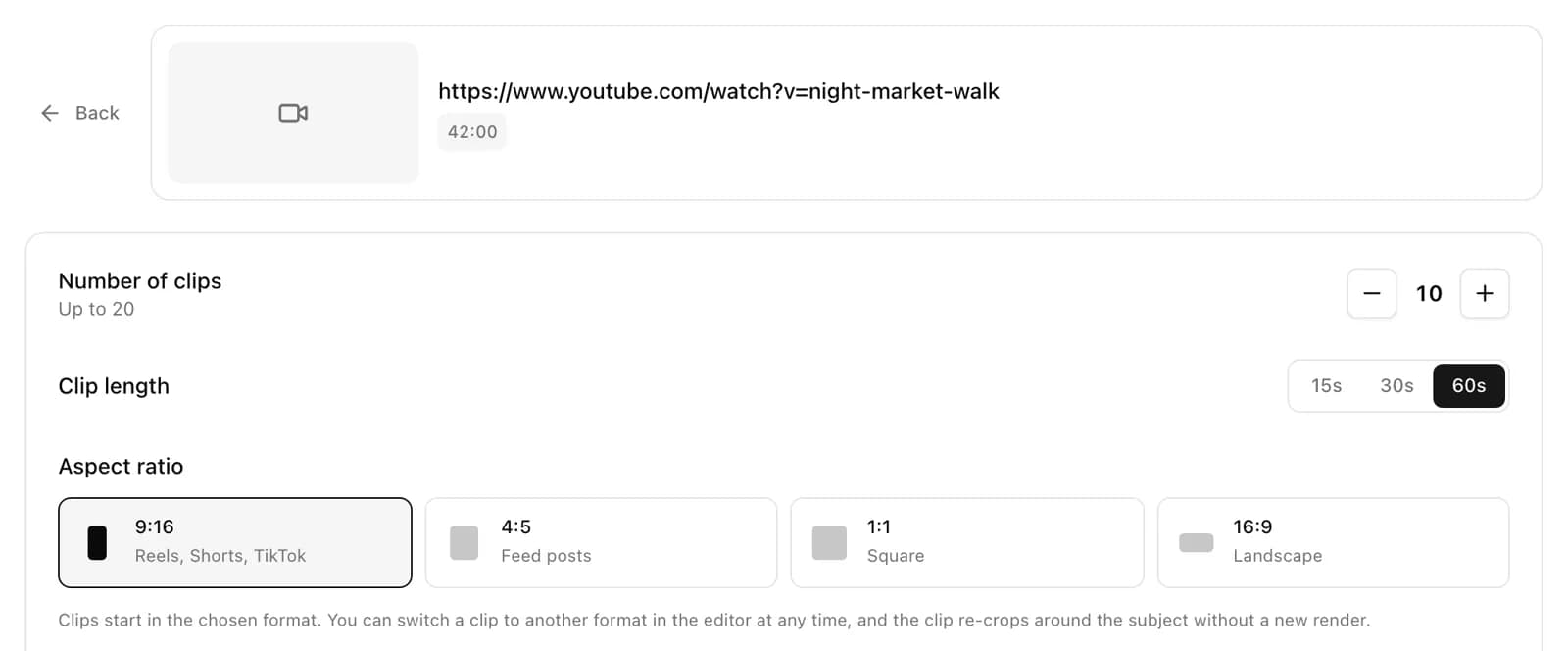
Ask for 1 to 20 Shorts from one video, at 15, 30 or 60 seconds each. Every length sits inside YouTube's own rule for a Short, a vertical video of three minutes or less. Change a length later by dragging the clip's edge, because each Short opens as a project rather than a finished file.

Pasting a watch link? See the YouTube clip maker
The top of the clip settings step: the number of clips at ten, the clip length at sixty seconds, and four shape cards with 9:16 chosen

One MP4, and no watermark on any plan

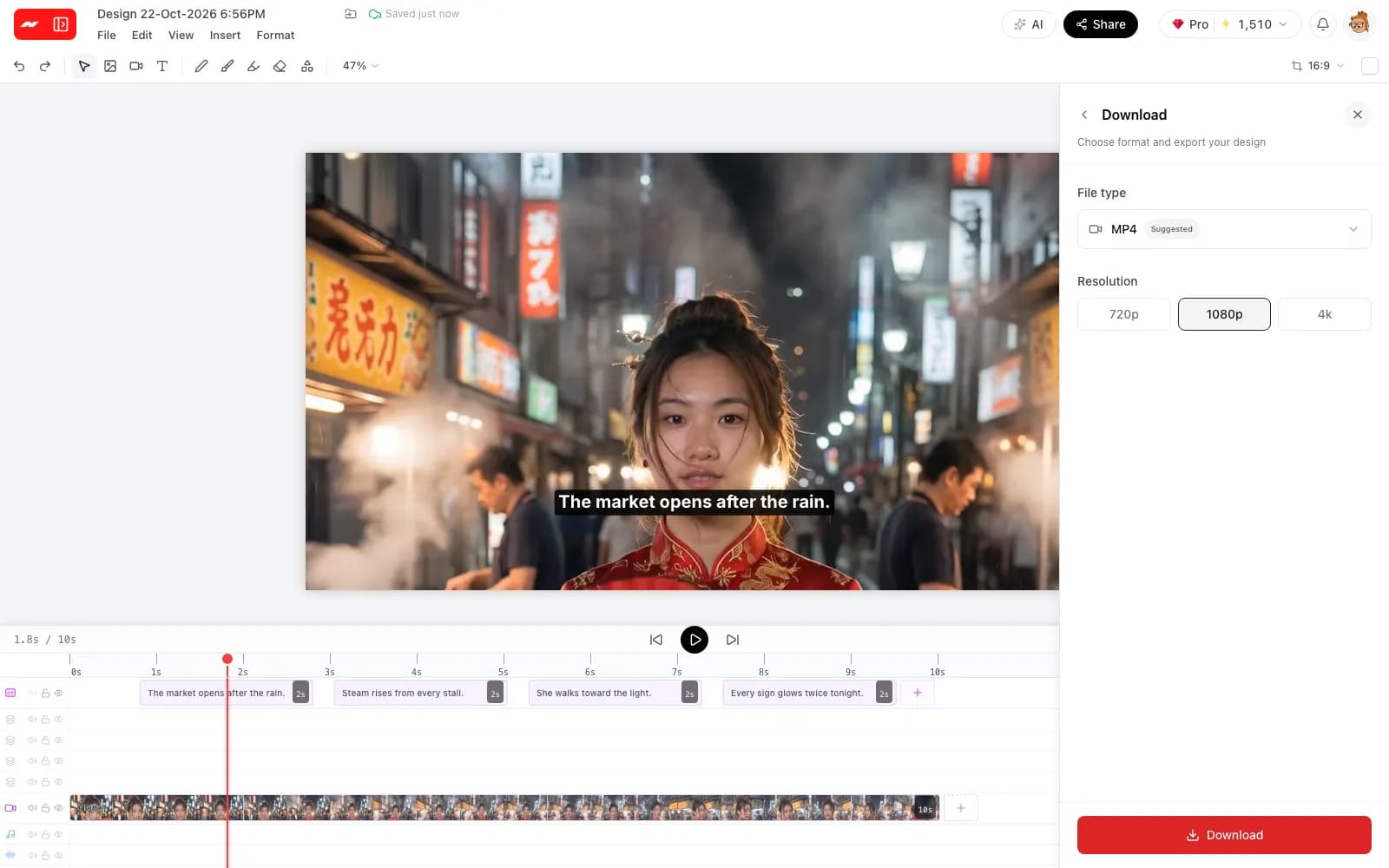
Each Short downloads as one MP4, at 720p on the free plan and 1080p on a paid plan. Nothing is drawn over the picture on either plan. Download one Short on any plan, and queue every Short in one pass on a paid plan.

The download panel in the video editor with MP4 chosen and both resolution choices listed

How to make YouTube Shorts from a long video

  1. Step 1

    Paste the link

    Copy the link to your long video and paste it into the clipper. Upload the file instead when a link will not load.

  2. Step 2

    Choose the shape and headline

    Keep 9:16 for Shorts, set 15, 30 or 60 seconds, and pick one of the four headline looks.

  3. Step 3

    Edit, then download

    Open any Short on the timeline to reword a headline or trim an end, then download the MP4 and upload it yourself.

What one long video can become

Every job below starts with one upload and ends with a set of Shorts, each one named after the moment inside the video.

A podcast episode
Twenty Shorts from one recording
A recorded webinar
One question answered in each Short
A long tutorial
The step people replay, on its own
A conference talk
The line worth quoting, held vertical
A back catalogue
Landscape uploads cut for a phone screen

More free tools from Hugogen

Questions and answers

Paste the link, then choose how many Shorts you want and how long each one runs. The AI reads the speech, picks the strongest moments and builds each Short. Every Short comes back vertical, captioned word by word, with a headline on the front.

YouTube counts a vertical video of three minutes or less as a Short. Clips here run 15, 30 or 60 seconds, so every one of them qualifies. Drag a clip's edge on the timeline to make a Short shorter once the job has finished.

Every Short is cut to 1080 by 1920, which is the frame a Short plays in. The framing follows the speaker rather than the centre of the picture, so a landscape interview still reads on a phone. Three other shapes are there for a feed post or a landscape cut.

The AI writes one headline per Short and holds it on screen for the first six seconds. You choose the look before the job starts: a bar left, a bar right, a quote card or plain text. The words, the look and the timing are all editable on the timeline afterwards.

Every Short from a link carries a credit line at the top left for the whole clip, reading Video and the channel name. An uploaded file has no channel to name, so a Short built from one carries no credit line. Reword or remove the line in the editor when the footage is your own.

The clipper asks you to confirm you own the video or have sufficient rights before a job starts. Permission from the channel owner, or footage already cleared for use, is on the person posting the Short. The credit line names the source, and it is not a licence.

No watermark is drawn over the picture on any plan, the free one included. The export is a plain MP4 at 720p on the free plan or 1080p on a paid plan. Download one Short on any plan, and queue every Short in one pass on a paid plan.

Download the MP4 and upload it in the YouTube app or on youtube.com, the same way you post any other Short. The upload stays yours to make, and no channel connection is asked for at any point. The file is a plain vertical MP4, so it suits Reels and TikTok as well.

A free account makes Shorts and exports them with no watermark, and a new account needs no card. The price of a job shows before the job starts, charged by the minute of source video. A job refunds itself when it fails.

Turn one long video into Shorts

Paste the link, choose the shape and the headline, then download the Shorts.

Paste a link