Free AI clip maker for Shorts, Reels and TikTok

Paste a YouTube or social link, choose how many clips to make, and get short vertical clips with bold captions, each ready to post or polish.

Included on the free plan, for source videos of 1 to 60 minutes, and every clip exports with no watermark.

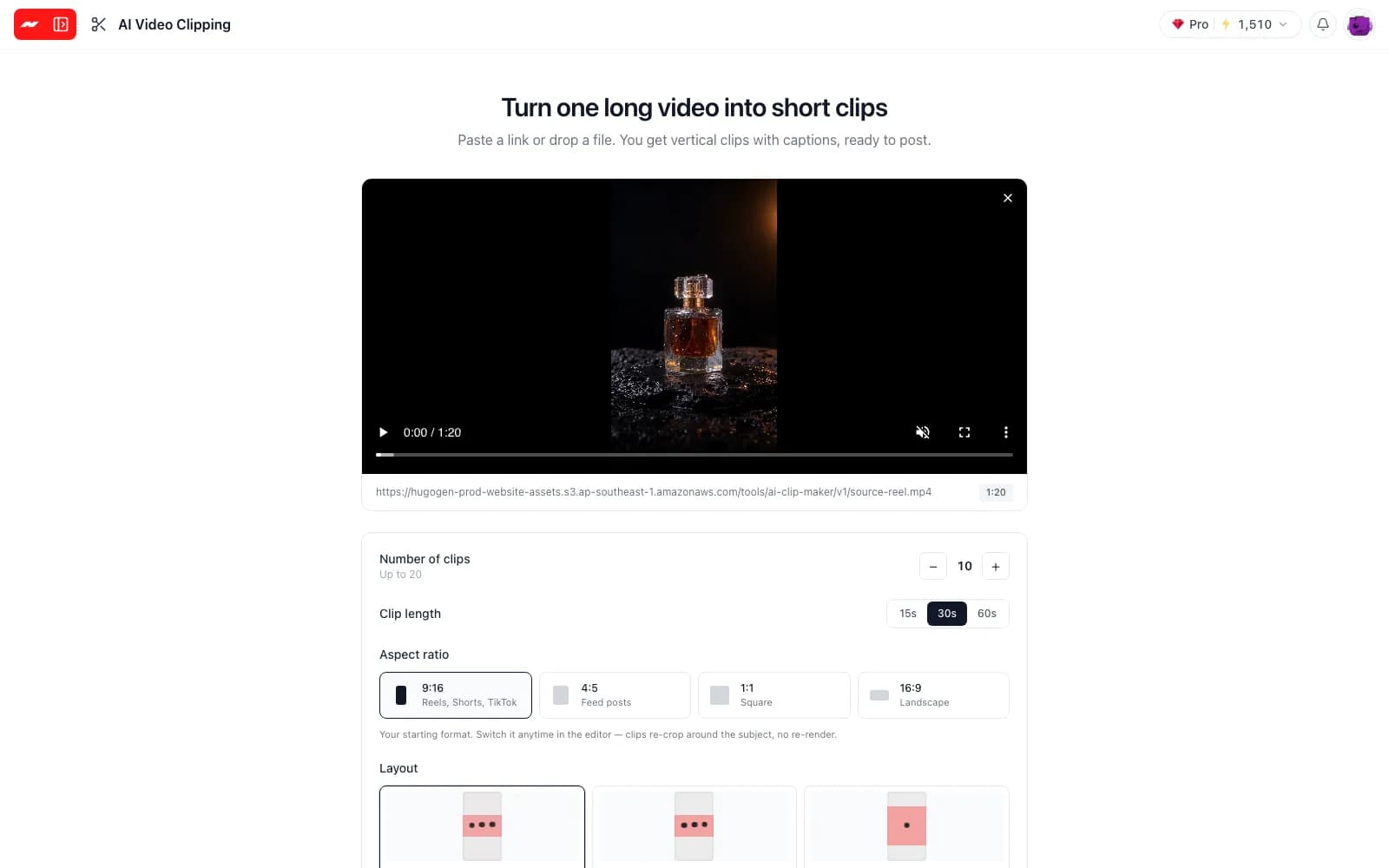
The Hugogen clipping screen with a video loaded from a pasted link, ready to turn into clips

From a link to clips ready to post

Start from a YouTube or social link

Paste a YouTube, social or direct video link into the clip maker and it loads on its own, with no download or upload step. Videos of 1 to 60 minutes work on Free, up to 120 minutes on Go and above, and the footage has to be the person's own or cleared for use.

Clipping from YouTube? See the YouTube clip maker
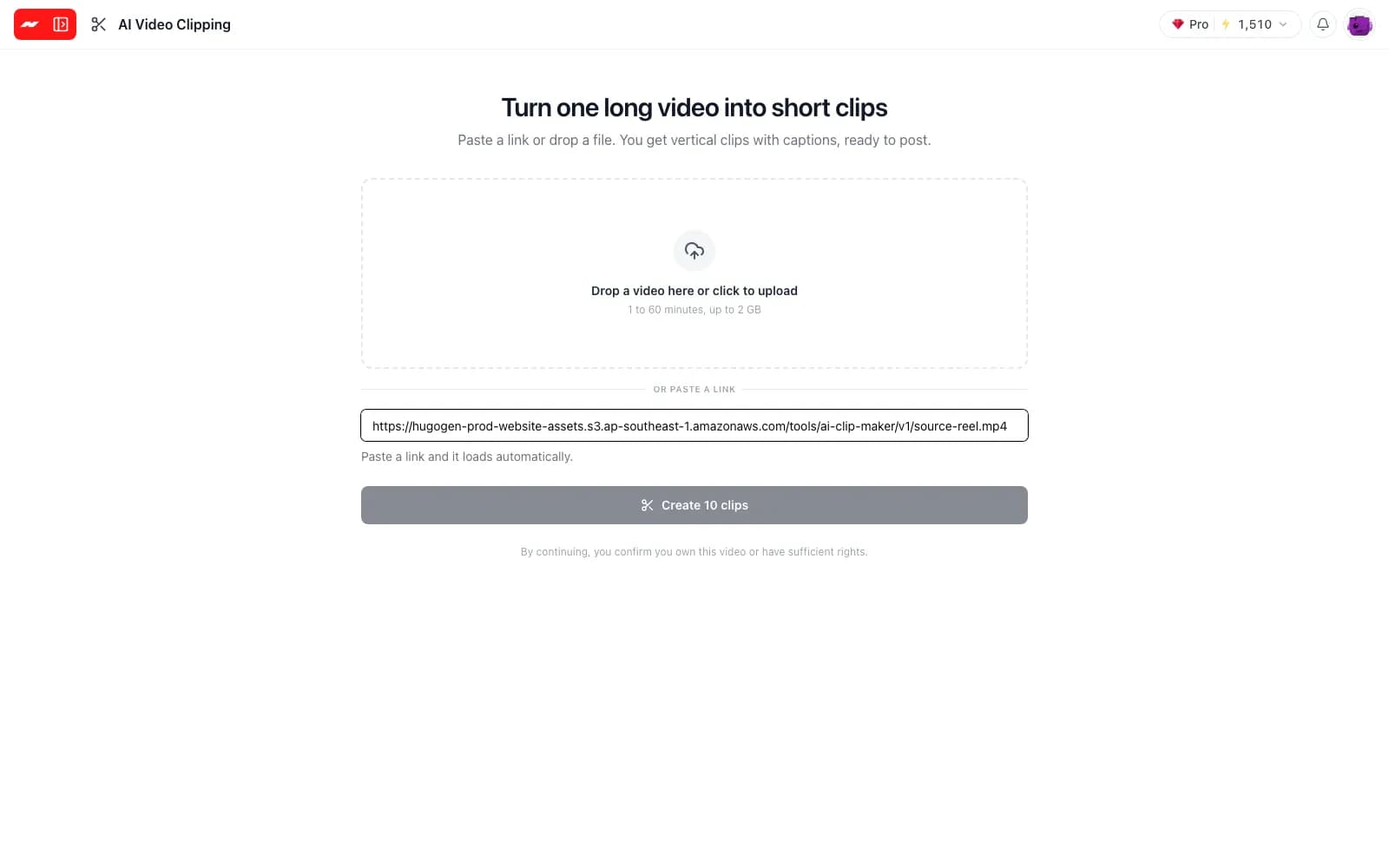
A video link typed into the link field on the AI clipping screen

Pick the format for each platform

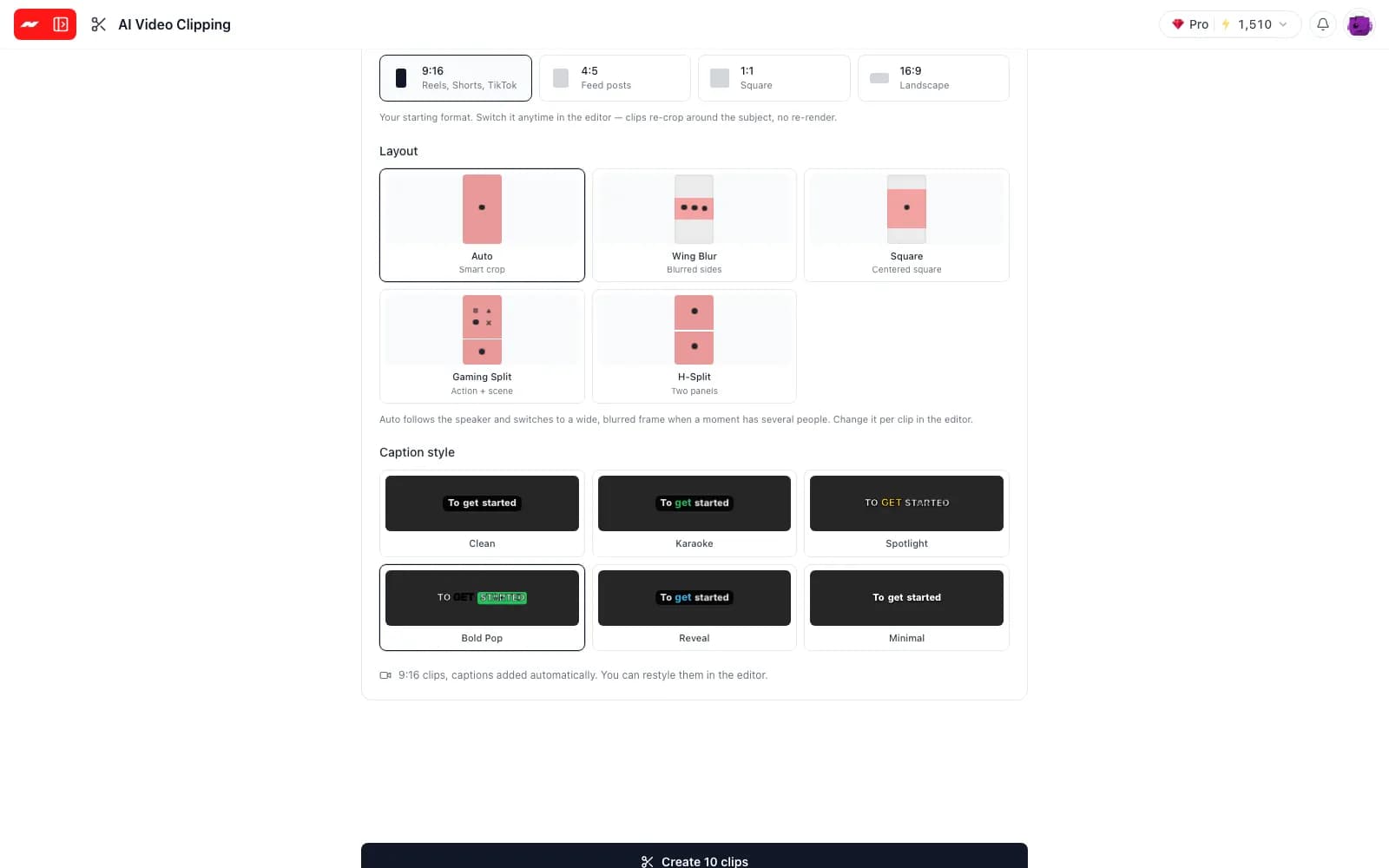
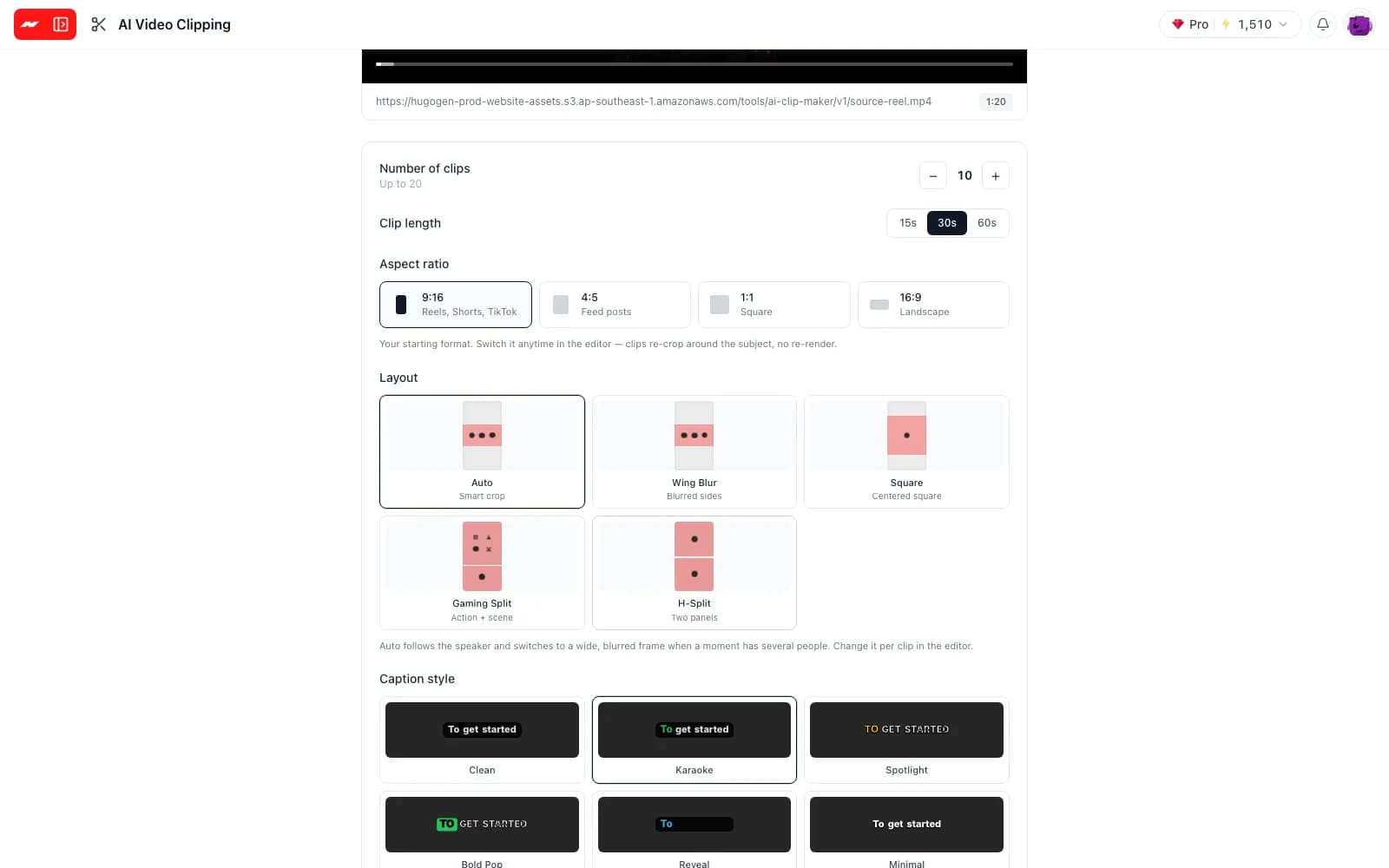
Choose 9:16 for Shorts, Reels and TikTok, 4:5 for an Instagram or Facebook feed, a square or a landscape frame, and set 15, 30 or 60 seconds per clip. The format can change later in the editor with no new render.

Working from a long recording? See the AI video clipper
Clip count, clip length, shape and layout settings on the clipping screen with a linked video

Caption styles made for short videos

Pick Bold Pop, Karaoke, Spotlight, Reveal, Clean or Minimal, and each word lights up as it is spoken. Large, word-by-word captions keep the message clear when a phone plays the clip with the sound off.

The caption style choices on the clipping screen with Bold Pop selected

Polish a clip before posting

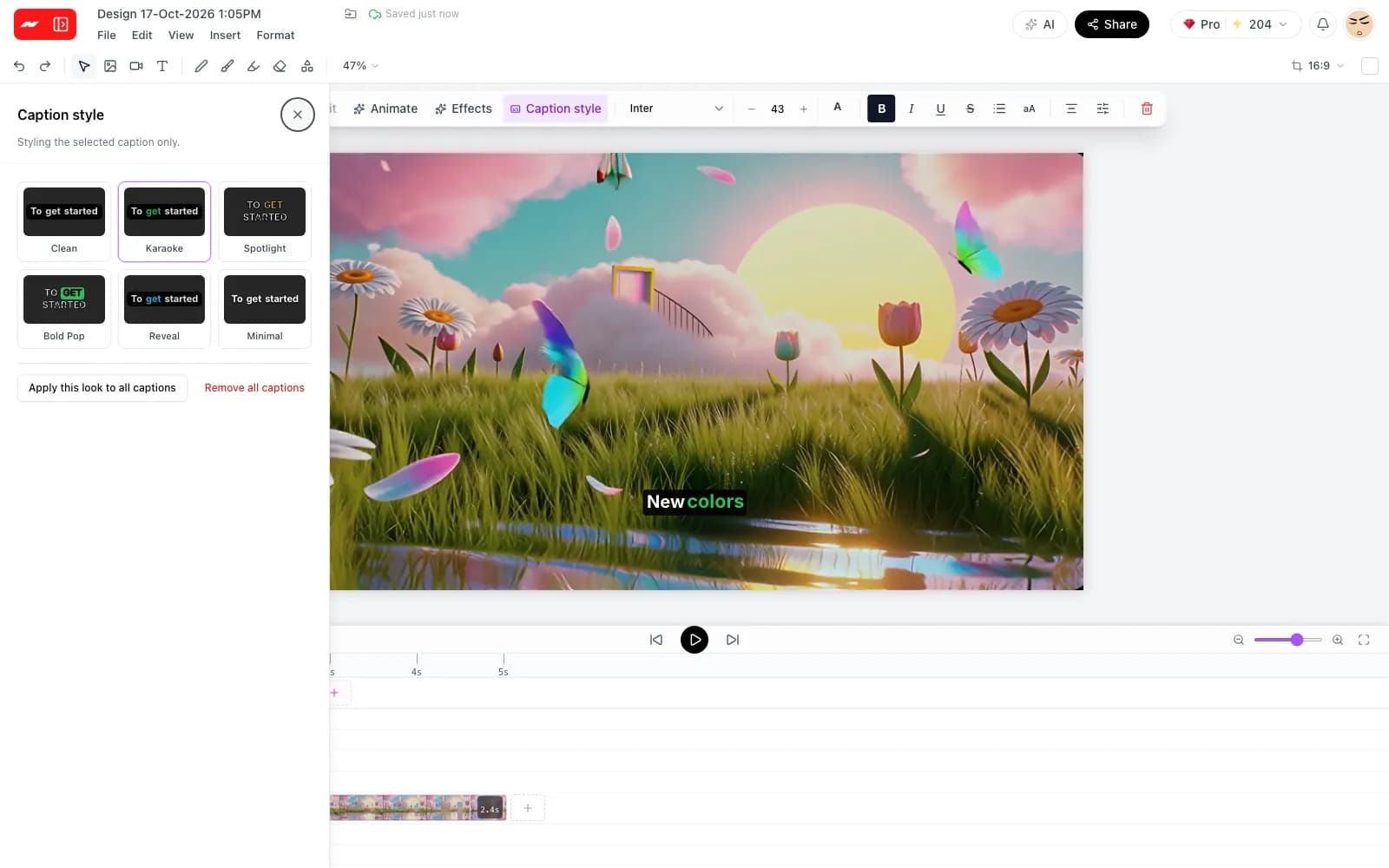
Each clip opens on the video timeline with its captions, layout and title in place. Change a caption style, trim a few seconds or swap the layout, then download an MP4 for each platform.

The caption style picker open over a clip in the Hugogen video editor

How to make AI clips from a YouTube video

  1. Step 1

    Paste the link

    Copy the YouTube or social video link and paste it into the clip maker, or drop in a video file instead.

  2. Step 2

    Choose clips and captions

    Set how many clips to make, their length, the shape and a caption style such as Bold Pop.

  3. Step 3

    Post the clips

    Open a clip to adjust it, export the MP4, and post it to Shorts, Reels or TikTok.

Made for creators posting short videos

The clip maker suits anyone turning longer uploads into a steady run of short posts.

YouTube creators
Shorts cut from each long upload
TikTok accounts
a week of posts from one video
Instagram Reels
vertical clips with bold captions
Coaches and educators
one tip in each clip
Brands and shops
short product moments from a demo
Agencies
clips for several clients in one place

More free tools from Hugogen

Questions and answers

Paste the YouTube link into the clip maker, choose the number of clips, their length and a caption style, and the AI cuts the video into short clips. Each clip opens in the editor for any last changes. The video has to be one the person owns or has the rights to use.

The clip maker is included on the free plan, and signing up needs no card. The clipping screen shows the cost of a job before it starts, and a job refunds itself if it fails.

YouTube links, links from social platforms and direct links to a video file all work, as long as the video runs from 1 to 60 minutes, or up to 120 minutes on the Go plan and above.

Clips come in 9:16 for Shorts, Reels and TikTok, 4:5 for feeds, 1:1 square or 16:9 landscape, and the shape can change later in the editor.

Six caption styles are built in: Bold Pop, Karaoke, Spotlight, Reveal, Clean and Minimal. Each word is timed to the speech, and any clip can switch style in the editor.

The clip maker needs a source of at least one minute. The most is 60 minutes on Free and 120 minutes on Go and above. A shorter video can go straight onto the video editor's timeline instead.

Clips download as MP4 with no Hugogen watermark, on the free plan and on paid plans.

A free account is needed to make and download clips, and signing up needs no card.

Turn a link into clips ready to post

Paste a YouTube or social link, pick a caption style and download short clips with no watermark.

Make clips from a link